.shock Suite · showreel
.showreel.shock
Available now (v1)
Your portfolio. One AI-curated showreel.
Give .showreel.shock your name and portfolio links. It investigates what you've published across agencies, picks the strongest stills and clips, and renders a finished reel — fully automatic, or tuned by hand.
Free to try · runs in the browser · no install · paid plans available
The workflow
From portfolio links to a finished reel in four steps.
Paste your name, nickname and any portfolio links you have. .showreel.shock detects the platform, investigates what you've published, and curates a set of the strongest stills and clips — then renders a finished, stat-driven showreel without you touching a single settings panel.
Beyond a video editor — a complete showreel workflow.
Most showreels are hand-cut, one at a time, from files you already sorted. .showreel.shock does the sorting too — it finds your work, decides what belongs in the reel, and renders it with your real numbers on screen.
Pattern-recognized investigation
Paste a link, or just your nickname.
.showreel.shock detects the platform behind any portfolio link and pulls candidate stills and clips automatically — across 25+ stock agencies and portfolio sites. No manual downloading, no folder wrangling.
Smart curation, zero guesswork
A local scoring engine does the picking.
Dedupes near-identical frames, balances color and orientation, and mixes platform diversity to pick the strongest 20-40 clips — without you touching a single settings panel.
Your numbers, on screen
Total assets, platforms and top performers — rendered in.
Stat overlays pull automatically from .stats.shock when available, so the reel opens with real, current numbers instead of a static title card.
Automatic by default, tunable by hand
One click renders. An advanced panel lets you take over.
Sensible defaults produce a finished reel immediately. For anyone who wants control, an advanced panel exposes pacing, clip count, color grade and music.
Built into the Suite, not bolted onto it
Every other showreel tool starts from zero. This one already knows your portfolio.
A generic reel maker asks you to upload files and retype who you are. .showreel.shock is a Suite module — it can read what the rest of the Suite already knows about you, so a returning user often reaches a finished reel without typing a single link. Three real sources, each optional and each shown to you before anything is used:
Your account Name, email and confirmed agencies — once
If you've already connected an agency in your dotshock.ai account (with a real portfolio URL, not a guess), .showreel.shock pre-checks it on sight. Set it once in Account → Agency connections; every Suite app that needs it, including this one, reuses it from there.
.publish.shock destinations Already distributing? We already know where
If .publish.shock has your delivery destinations configured, .showreel.shock reads the platform name straight from that database — the exact same origin, so no export/import step — and offers it as a suggestion. Only the platform label ever crosses over; FTP hosts, usernames and passwords stay in .publish.shock and are never read.
Open browser tabs Logged into an agency right now? It notices
The free Dotshock Companion browser extension — the same one .stats.shock uses to read earnings dashboards — can tell .showreel.shock which agency dashboards are open and logged in, by hostname only. No tab content or URLs are ever read or transmitted; it is a yes/no signal per agency, nothing more.
Every one of these is optional, shown as a labelled, reviewable checkbox before it becomes part of your reel, and skipped silently if you've never set up an account, .publish.shock destination or the Companion extension — the manual flow (paste your own links) works exactly the same either way.
How the curation actually works
Not a shuffle. A scoring pass that runs entirely in your browser.
"AI-curated" is a claim worth explaining, not just making. Here is exactly what the curation engine does with the media pool it collects — no server round-trip, no third-party model call, nothing you cannot inspect in your browser's dev tools.
- Dedupe. Every candidate is deduplicated by source URL before scoring starts — no near-identical frame appears twice.
- Sample. Each still is drawn into a small offscreen canvas and sampled for dominant hue (bucketed across a 12-point colour wheel) and aspect ratio (portrait / landscape / square). When a source platform blocks cross-origin pixel reads, the engine falls back to a deterministic hash of the URL for bucketing rather than skipping the item — a still with unreadable pixels still gets a fair, repeatable slot instead of being silently dropped.
- Score. A greedy selection pass picks the next clip that maximises distance from what is already chosen — across colour bucket, aspect ratio and source platform simultaneously — so the reel doesn't drift into fifteen near-identical frames from one shoot.
- Interleave. Stills and motion clips alternate where both exist, instead of clustering all the video at one end of the reel.
- Never truncate short. If the pool runs low on real diversity, the engine still fills the requested clip count with the least-repetitive remaining option — it does not quietly hand back fewer clips than you asked for.
On honesty
If a platform blocks the fetch, you're told — not shown a fake result.
Some agencies (bot-protection, JS-only pages) can't be read server-side. .showreel.shock reports exactly which links failed and why, right in the Investigate step, and lets local file upload fill the gap. It never fabricates a still, a count or a platform it couldn't actually reach.
On your numbers
Every stat overlay is editable before it renders.
Counts pulled from a portfolio page or from .stats.shock populate the numbers table automatically, but every figure sits in an input you can correct — the reel never presents a number you haven't seen and confirmed.
What .showreel.shock looks like in use.
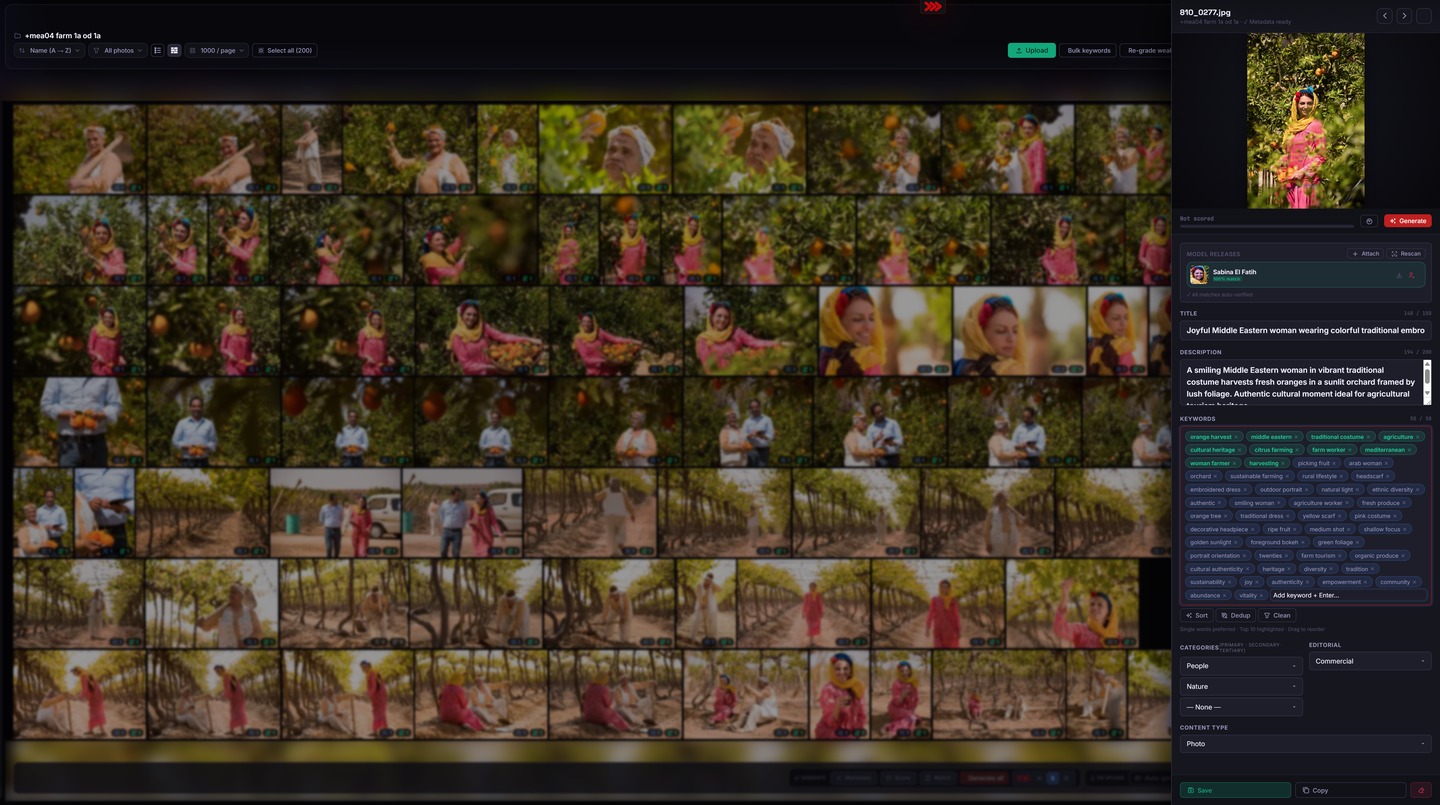
Works in the browser · no install · local-first
In the pipeline
Where .showreel.shock fits in the .shock Suite.
Step 1
.publish.shock
Delivers finished, tagged files to every stock agency — the published work .showreel.shock later investigates.
Step 2
.stats.shock
Tracks per-agency downloads and earnings — the numbers .showreel.shock can pull straight into the reel's stat overlays.
Step 3 — you are here
.showreel.shock
Investigates your published portfolio, curates the strongest stills and clips, and renders a finished, stat-driven showreel — the capstone of the pipeline.
.showreel.shock is the last stop in the .shock Suite pipeline — turning finished, published work into a promotional reel. It works fully standalone too: paste your links and go, with no other Suite module required.
What you get on each plan.
Common questions
Everything you need to know.
Does it upload my files anywhere?
No. .showreel.shock is local-first — your files and portfolio links stay in your browser except for the one server-side fetch needed to read a portfolio page you give it, since browsers can't fetch most external pages directly. That fetch never stores your media anywhere.
Which platforms does it recognize?
.showreel.shock pattern-matches links from Shutterstock, iStock, Adobe Stock, Depositphotos, Vecteezy, 123RF, Pond5, Bigstock, Mostphotos, Dreamstime, Zoonar, Pixtastock, Colourbox, MotionElements, Storyblocks, PhotoDune, VideoHive, Flickr, Magnific/Freepik, Canva, 500px, Vimeo, Cherrydeck, Getty and Alamy — over 20 platforms, and growing.
Does .showreel.shock know things about me automatically?
If you use other Suite apps, yes — with your review before anything is used. It can read your name/email and confirmed agency portfolio URLs from your dotshock.ai account, the platform names (never credentials) from .publish.shock's own destinations, and which agency dashboards are currently open and logged in via the free Dotshock Companion browser extension. Every result appears as a labelled, reviewable checkbox — pre-checked where a real URL is known — and all three sources are optional; the manual flow works exactly the same without them.
Can I add music?
Yes. Import your own track from the advanced panel, or leave the reel silent — .showreel.shock never auto-downloads copyrighted audio on your behalf.
Is it free?
Yes. .showreel.shock follows the same free / bring-your-own-model plan structure as .tag.shock — try it at no cost, with paid cloud plans available if you want managed rendering at higher volume.
Your portfolio, turned into a showreel — automatically.
Part of the .shock Suite — one workflow from brief to paid. Free to try, available now.
Works in the browser · no install · local-first